

What is BUX?
Browser Use Box (BUX) is a 24/7 cloud computer with an agent (for example Claude Code, Codex, Hermes or Openclaw) and Browser Harness, controlled from anywhere (for example Telegram, the web, or SSH).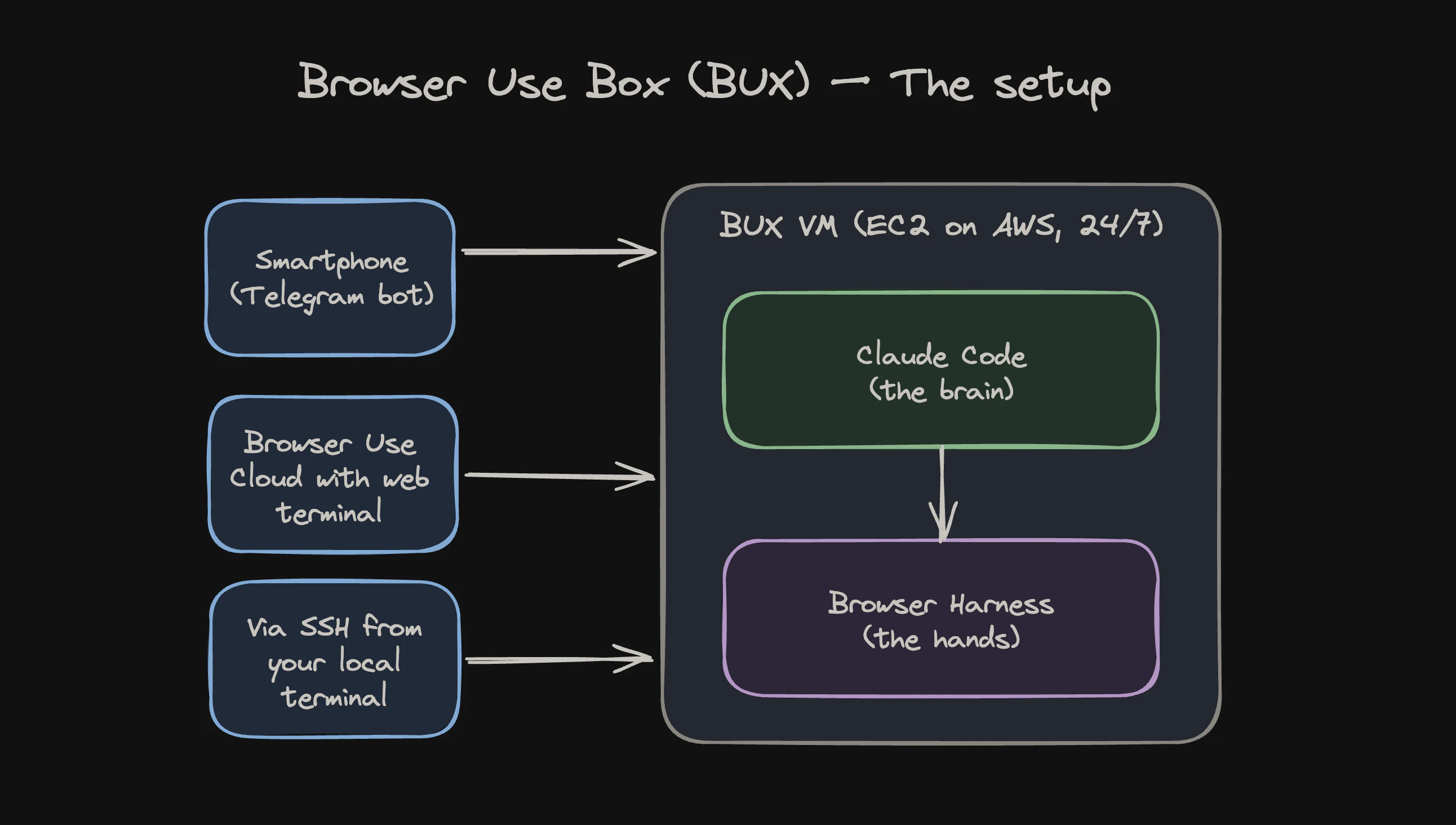
What to use it for
You can use BUX purely as a cloud agent infrastructure: a box for Hermes, Openclaw, Claude Code, or Codex to run on while your laptop is shut. But the combination of your agent and Browser Harness is what makes it magical, because that way your agent can do any task on the web. BUX completes tasks in complicated dashboards (Microsoft Azure, Google Workspace, anything behind SSO) where browser agents have historically struggled. From a phone on the go, between meetings, or anywhere with a network, you can throw any task at it:“deploy PR #235 to staging and test the new flow”
“book the earliest flight Zurich to SF next Wednesday”
“take a picture of our granola, order this on Amazon”
“cancel my Paramount+ subscription”Across the team, we have yet to find a work-related or everyday-web task that BUX cannot complete.
How it works
Because BUX is a real cloud computer that you have full access to, it is extremely flexible. You can drive it from any interface, install your own software on it, and modify it however you want. In the beginning, a BUX VM boots in 30 to 60 seconds from a pre-baked AMI running the open-sourcebux stack: Claude Code, Browser Harness, the Telegram bridge, and the web terminal, all under systemd. Once you log in to Claude and connect a Telegram bot, you have a 24/7 personal agent.
The VM runs under a locked-down IAM role with zero AWS permissions, so it cannot touch your infrastructure or ours. The browser session inside the VM rotates every 240 minutes as a security measure.
Agent state lives in /home/bux and survives reboots, so cookies, learned skills, and chat history all persist.
Prefer to run it yourself? Point the bux installer at any Ubuntu VPS, Mac mini, or Raspberry Pi (anything with ≥2 GB RAM). It’s the same software the managed VMs run.
Giving your agent access
BUX is only as useful as the accounts it can reach. Use Browser Use Profiles to sync your local Chrome cookies or build new ones by hand. When the agent hits a login wall, it sends you a live URL from the remote browser. You sign in, it picks up where it left off, and saves the cookies for next time.Next
- Quickstart: set up your BUX in under five minutes.
- Authentication: give the agent access to your accounts.